
 Join our Discord
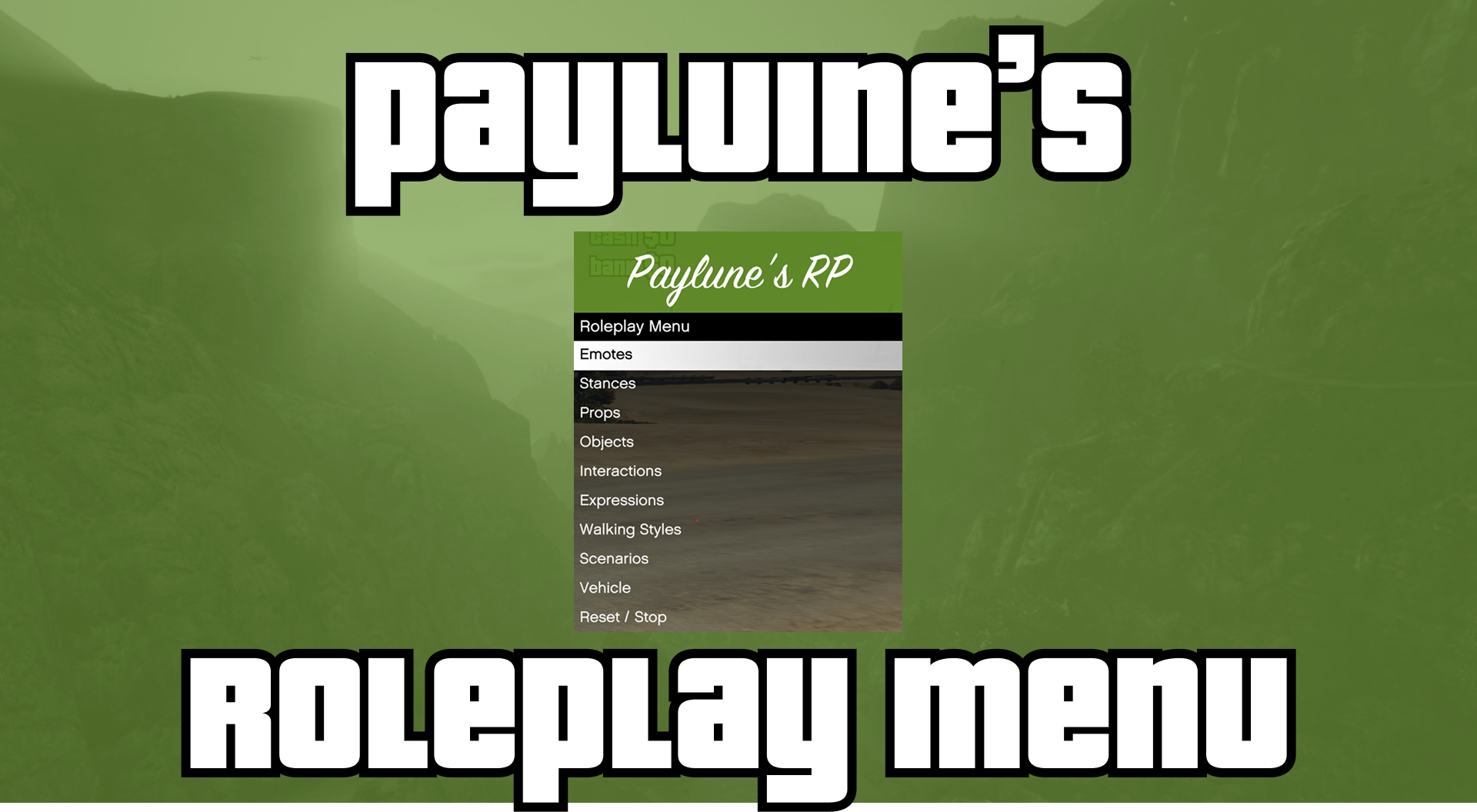
RP Menu — Feature Overview
A FiveM roleplay menu with emotes, stances, props, placeable objects, interactions (nearby players, show ID), expressions, walking styles, scenarios, vehicle options, and an admin delgun. Configurable keybind and ACE-based permissions for object limits and delgun.
Video Preview
Overview
-
Menu: Open with a configurable keybind (default F10). Single menu with submenus: Emotes, Stances, Props, Objects, Interactions, Expressions, Walking Styles, Scenarios, Vehicle, and Reset.
-
Objects: Place and remove world objects from a curated list; placement uses raycast from camera with heading control. Per-player limits via ACE (default 16; higher limits with
rp.objects.32, etc.). -
Interactions: List nearby players (10 m); Show ID (send your name/ID to a player).
-
Delgun: Command
/delguntoggles a no-damage weapon that deletes objects when you shoot them. Requires ACErp.delgunorcommand. When deleting a placed object, shows who placed it (if still online). -
Permissions: ACE for object limits (
rp.objects,rp.objects.32, …) and delgun (rp.delgunorcommand). Config inconfig.jsonat resource root; survives restarts.
Permissions (ACE)
Grant via your server’s server.cfg or a permissions resource.
Object placement limits
Permission Node
Object limit
(none)
16
rp.objects.32
32
rp.objects.64
64
rp.objects.128
128
rp.objects.256
256
rp.objects.infinite
Unlimited
Having command or rp.objects allows the default limit (16). Higher limits require the specific node.
Delgun
Permission Node
Description
rp.delgun
Use /delgun to toggle: shoot objects to delete them (no damage).
command
Also grants delgun access.
Example (server.cfg):
# Allow 64 objects per player
add_ace group.builder rp.objects.64 allow

# Allow delgun for admins
add_ace group.admin rp.delgun allow
add_principal identifier.license:xxx group.admin
Commands
Command
Permission
Usage
Description
delgun
rp.delgun or command
/delgun
Toggle delgun: shoot objects to delete them (no damage). Notifies who placed the object if still online.
The RP menu is opened via the configured keybind (default F10); the keybind uses +rp / -rp internally.
Menu Structure
The main menu (keybind, default F10) contains:
-
Emotes — Play emotes (animations).
-
Stances — Apply stances to your ped.
-
Props — Attach props to your ped (e.g. phone, clipboard).
-
Objects — Place world objects from categories; shows placed count and limit; Remove last object; enter Place or Remove mode (cursor + raycast, click to place or click a placed object to remove it).
-
Interactions — Nearby players (10 m): Show ID (send your name and ID to target).
-
Expressions — Facial expressions / mood.
-
Walking Styles — Change walking style.
-
Scenarios — Start/stop world scenarios (e.g. sit, lean); clearing stops the scenario and removes nearby scenario props.
-
Vehicle — Vehicle-related options (submenu).
-
Reset / Stop — Reset RP state (stop emotes, scenarios, etc.).
Emotes
Stop emote — Stops the current emote.
Greetings & Gestures
- Wave, Thumbs up, Peace sign, Point forward, Slow clap, Facepalm, Shrug
Sitting & Lying
- Sit, Sit (sad), Passout / Lie down, Dead (play dead)
Dances
- Dance, Dance 2, Dance 3, Dance (slow), Dance (silly), Dance (silly 2)
Miscellaneous
- Stretch, Stretch 2
Stances
-
Reset stance — Clears current stance.
-
Hands up (surrender), Kneel, Hands on head, Guard stance
Props
Remove prop — Removes the current prop. Pressing the cancel key (X) also clears any attached prop.
Documents & Office
- Notepad & Pen, Badge
Tech
- Phone, Tablet, Radio
Food & Drink
- Coffee cup, Donut, Burger, Beer bottle, Wine glass, Soda can, Water bottle
Smoking
- Cigarette
Bags & Cases
- Briefcase, Suitcase
Tools & Misc
- Umbrella, Bouquet, Toolbox
Objects (placeable)
Objects are grouped by category. Place or remove via the Objects submenu.
Furniture
- Office Chair (3 variants), Chair (8 variants), Armchair, Chateau Chair, Couch (3), Small Couch, Office Desk (2), Small Table, Round Table, Picnic Table, Bench (3), Bar Stool, Shelves (2), Cabinet, Fridge (2)
Office
- Laptop (2), Monitor (3), Clipboard, Printer (2), Fax Machine, Tablet, Keyboard, Phone
Barriers & Cones
- Traffic Cone, Cone (striped, orange, large), MP Cone (2), Small Barrier, Barrier Tape, Work Barrier (2), Airport Barrier
Outdoor
- Beach Umbrella, Parasol (2), Deck Chair, Patio Lounger (2), Patio Heater, Potted Plant (3), Trash Bin (3), Old Deck Chair
Signs
- Stop Sign, Yield Sign, Road Work Sign, Protest Sign, Beggar Sign
Misc
- Cardboard Box, Briefcase, Attaché Case, Wooden Crate, Luggage, Suitcase, Paper Box (2), Money Bag, Cash Stack, Cash Pile, Boombox, Hi-Fi, DJ Deck, Guitar, Muscle Bench, Barbell, Yoga Mat, Pool Table, Blackjack Table, Basketball
Interactions
Uses nearby players (within 10 m). The menu loads the list when you open it.
- Show ID — Submenu of nearby players; choose one to send them your name and server ID.
Expressions
- Default (clear), Happy, Sad, Angry, Stressed, Scared, Disgusted, Surprised, Tired, Confused, Smug, Drunk, Injured (pain)
Walking Styles
-
Normal — Resets to default.
-
Arrogant, Casual, Confident, Drunk, Femme, Tough, Running (athlete), Scared, Guard, Stealth (sneak), Swagger, Sad, Chill
Scenarios
Stop scenario — Stops the current scenario and clears nearby scenario props.
Sitting
- Computer, Deckchair, Sit (ground), Sit (bench), Sit (chair), Sit (ledge), Sit (steps), Sit (wall), Sunlounger
Standing
- Cop (idle), Guard (patrol), Guard (stand), Hiker (standing), Impatient (waiting), Lean (wall), Security (torch), Valet
Work
- Clipboard (stand), Drill (construction), Gardener (leaf blower, plant), Hammer (construction), Janitor (mop), Maid (clean), Mechanic (engine), Medic (tend to body, kneel), Paparazzi, Parking meter, Welder
Exercise
- Bench press, Chin-ups, Free weights, Jog (standing), Muscle flex, Push-ups, Sit-ups, Yoga
Leisure
- Binoculars, Cheering, Coffee, Drinking, Filming (phone), Fishing, Party, Phone (call), Play guitar, Smoking, Smoking (pot), Sunbathe (2), Tourist (map, mobile), Window shopping
Misc
- ATM, BBQ, Bum (slumped, standing), Cower, Human statue, Stupor (drunk), Superhero pose
Vehicle Options
The Vehicle menu applies to an assigned vehicle. Enter a vehicle to assign it.
-
Assigned: [vehicle name] — Status (or “No vehicle assigned”).
-
Assign this vehicle / Assign current vehicle
-
Toggle engine, Lock / Unlock vehicle
-
Roll down / Roll up — Front left, front right, back left, back right window
-
Open / Close — Doors (front/back left/right), hood, trunk
-
Toggle headlights
-
Kick all passengers (if any)
-
Exit vehicle (when in assigned vehicle)
-
Clear assignment
Configuration
Config is stored in config.json at the root of the resource folder (persistent). Defaults:
Key
Default
Description
menu.title
"Paylune's RP"
Main menu title
menu.subtitle
"Roleplay Menu"
Main menu subtitle
menu.keybind
"F10"
Key to open the RP menu
menu.color.r
89
Banner color (red)
menu.color.g
134
Banner color (green)
menu.color.b
26
Banner color (blue)
cancelEmoteKeybind
"X"
Key to cancel emote, scenario, or prop
Config is loaded from config.json at the root of the resource folder.
Object Placement
-
Place: Choose an object from the menu → placement mode: a preview follows the camera raycast; move with mouse, adjust heading with R, click or Enter to place, X/Backspace to cancel. Only objects from the allowed list can be placed; count is limited per player by ACE.
-
Remove: Enter remove mode: cursor + raycast; click a placed object (one you placed) to remove it. Only the owner can remove their own objects via the menu.
-
Delgun: Admins with
rp.delguncan use/delgunand shoot any object to delete it; if it was placed by a player who is still online, the shooter gets a notification with that player’s name and ID.
Summary
-
RP menu (F10): Emotes, stances, props, objects, interactions, expressions, walking styles, scenarios, vehicle, reset.
-
Placeable objects: Curated list, raycast placement, per-player limits via ACE (
rp.objects.*). -
Interactions: Nearby players, Show ID.
-
Delgun:
/delgunto shoot objects to delete them; placer notification when applicable; ACErp.delgun. -
Config: Menu title, subtitle, keybind, banner color, cancel emote key; persisted in JSON.
Ideal for roleplay servers that want a single, configurable RP menu with object placement and light admin tools (delgun).