
 Join our Discord
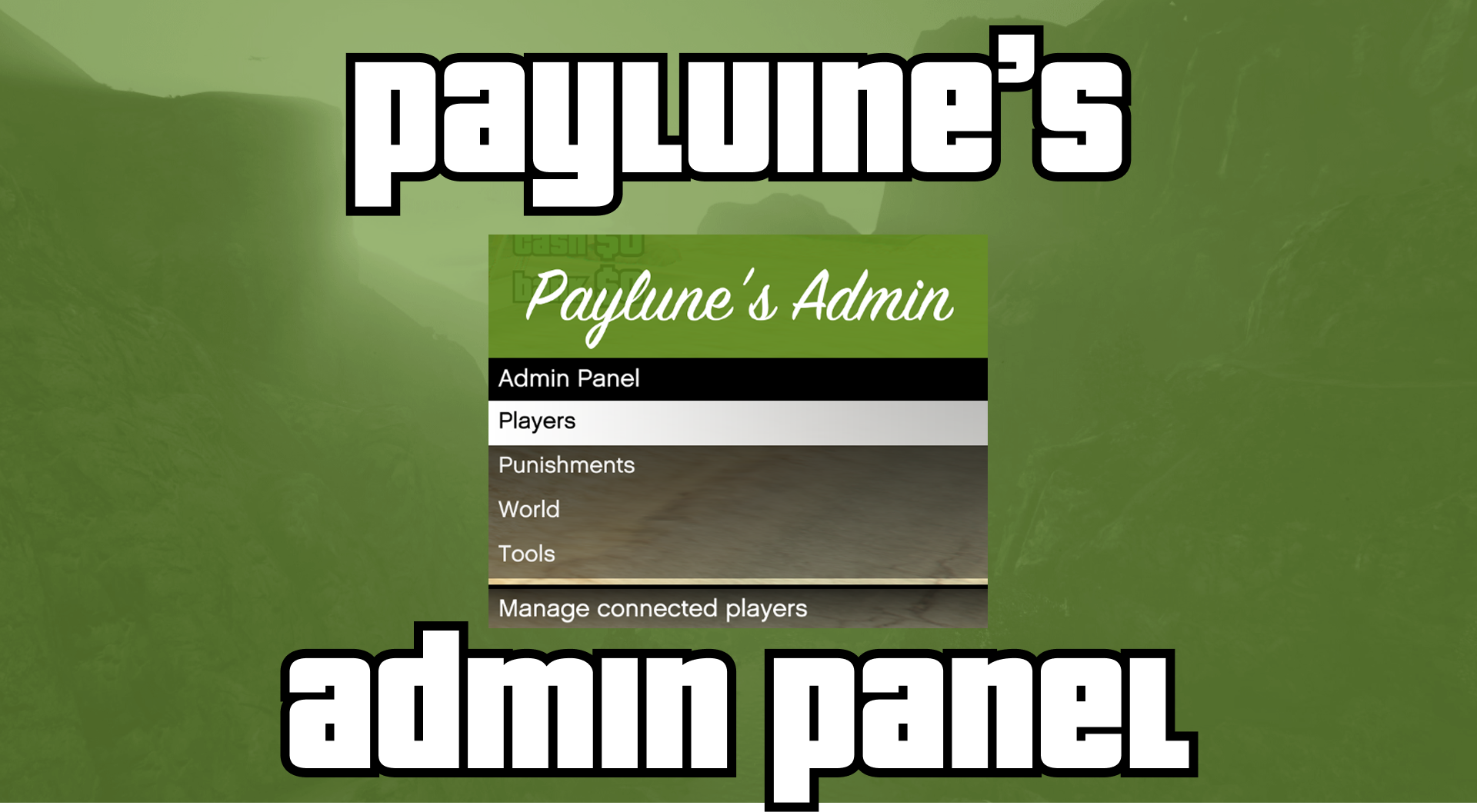
Paylune's Admin Panel — Feature Overview
A full-featured FiveM admin resource with an in-game menu, chat commands, persistent data, and ACE-based permissions. Suitable for roleplay and moderated servers.
Video Preview
Overview
- Optimized: Built for performance: minimal tick usage, lazy menu loading, and sync only when needed. No constant polling or heavy loops — the resource stays lightweight so it won’t drag down your server or clients.
- Menu: Open with a configurable keybind (default F9). Access to the menu is granted by the same permissions as the commands — there is no separate “menu” permission. If you have at least one of the admin permissions below (e.g.
admin.warn,admin.players), you can open the menu; you will only see the sections (Players, Punishments, World, Tools) you have permission for. - Commands: All actions are available as chat commands for quick use or scripting. The same ACE nodes that grant a command also grant the corresponding menu section.
- Permissions: ACE (Allow / Deny). Use
admin.<node>orcommand.admin.<command>to grant access. - Persistence: Bans, mutes, gags, freezes, warnings, world state, and config are stored in JSON and survive restarts.
Permissions (ACE)
The resource checks these permission nodes. Grant via your server’s server.cfg or a permissions resource (e.g. ace permissions, esx, QBCore).
Menu access: There is no separate permission to “open” the menu. Who can open the menu is determined by these same nodes. Granting any of the permissions below (e.g. admin.players, admin.warn, admin.world) allows the player to open the admin menu (keybind); the menu then shows only the sections they have permission for (Players, Punishments, World, Tools). No permission at all = menu shows “No Permissions”.
Recommended ACE format: command.admin.<command> or admin.<node>
| Permission Node | Description |
|---|---|
admin.players | View Players menu and player list |
admin.warn | Warn players, view/remove warnings |
admin.kick | Kick players |
admin.kill | Kill players |
admin.mute | Mute / unmute (text chat) |
admin.gag | Gag / ungag (voice chat) |
admin.freeze | Freeze / unfreeze players |
admin.ban | Ban, unban, view/lift bans |
admin.tempban | Tempban players |
admin.teleport | Teleport to players / bring players to you |
admin.world | Weather, time, cleanup, traffic, peds, environment |
admin.spawn | Set/clear spawn, blip, safezone, teleport to spawn |
admin.vanish | Vanish / unvanish (invisible to non-vanished) |
admin.noclip | Noclip flight mode |
admin.godmode | God mode (invincibility) |
Example (server.cfg):
# Full admin
add_ace group.admin command.admin allow
add_principal identifier.license:xxx group.admin

# Or per-command
add_ace group.moderator command.admin.warn allow
add_ace group.moderator command.admin.kick allow
add_ace group.moderator admin.players allow
The resource also respects command and command.admin (full access) and hierarchical nodes (e.g. admin grants all admin.*).
Commands
All commands are server-side and permission-checked. Replace <id> with the target player’s server ID.
Player management
| Command | Permission | Usage | Description |
|---|---|---|---|
warn | admin.warn | /warn <id> [reason] | Warn a player (reason optional) |
warnings | admin.warn | /warnings <id> | List a player’s warnings in chat |
kick | admin.kick | /kick <id> [reason] | Kick a player |
kill | admin.kill | /kill <id> | Kill a player |
mute | admin.mute | /mute <id> [reason] | Mute (text chat) |
unmute | admin.mute | /unmute <id> | Unmute |
gag | admin.gag | /gag <id> [reason] | Gag (voice chat) |
ungag | admin.gag | /ungag <id> | Ungag |
freeze | admin.freeze | /freeze <id> [reason] | Freeze in place |
unfreeze | admin.freeze | /unfreeze <id> | Unfreeze |
ban | admin.ban | /ban <id> [reason] | Permanent ban |
tempban | admin.tempban | /tempban <id> <duration> [reason] | Tempban (e.g. 1h, 7d, 30m) |
unban | admin.ban | /unban <identifier> | Unban by identifier (e.g. license) |
Teleport
| Command | Permission | Usage | Description |
|---|---|---|---|
goto | admin.teleport | /goto <id> | Teleport yourself to a player |
bring | admin.teleport | /bring <id> | Teleport a player to your location |
World
| Command | Permission | Usage | Description |
|---|---|---|---|
weather | admin.world | /weather <type> | Set weather (e.g. CLEAR, RAIN, SNOW) |
time | admin.world | /time <hour> | Set time (0–23) |
freezetime | admin.world | /freezetime | Toggle time freeze |
dv | admin.world | /dv | Delete current or nearest vehicle (within 10m) |
clearvehicles | admin.world | /clearvehicles | Clear unoccupied vehicles |
clearpeds | admin.world | /clearpeds | Clear peds |
clearobjects | admin.world | /clearobjects | Clear world objects |
traffic | admin.world | /traffic [on|off|0-100] | Toggle or set traffic density |
peds | admin.world | /peds [on|off|0-100] | Toggle or set ped density |
blackout | admin.world | /blackout | Toggle blackout (lights off) |
dispatch | admin.world | /dispatch | Toggle police/fire/EMS dispatch |
clearwanted | admin.world | /clearwanted | Clear wanted level for all players |
Spawn
| Command | Permission | Usage | Description |
|---|---|---|---|
setspawn | admin.spawn | /setspawn | Set spawn at your current position |
clearspawn | admin.spawn | /clearspawn | Remove spawn point |
spawnblip | admin.spawn | /spawnblip | Toggle spawn blip on map |
spawnsafezone | admin.spawn | /spawnsafezone | Toggle safezone at spawn |
spawnsafezoneradius | admin.spawn | /spawnsafezoneradius <m> | Set safezone radius (meters) |
spawn | admin.spawn | /spawn | Teleport yourself to spawn |
Tools
| Command | Permission | Usage | Description |
|---|---|---|---|
vanish | admin.vanish | /vanish | Go invisible to players without vanish |
unvanish | admin.vanish | /unvanish | Become visible again |
The admin menu is opened via the configured keybind (default F9); the keybind uses +admin / -admin internally.
Menu Structure
The main menu (keybind, default F9) is available to anyone with at least one of the admin permissions above; it shows only the submenus you have permission for.
Players (admin.players + action permissions)
- Players → List of online players by ID and name.
- Select a player → actions (each requires its own permission):
- Warn — prompt for reason, then warn (
admin.warn). - Warnings — submenu of that player’s warnings; select one to remove it (
admin.warn). - Teleport — submenu (
admin.teleport):- Teleport to Player — teleport yourself to the player.
- Teleport to Me — bring the player to your location.
- Kick — prompt for reason (
admin.kick). - Kill (
admin.kill). - Mute / Unmute (
admin.mute). - Gag / Ungag (
admin.gag). - Freeze / Unfreeze (
admin.freeze). - Tempban — duration (e.g. 1h, 7d) + reason (
admin.tempban). - Ban — prompt for reason (
admin.ban).
- Warn — prompt for reason, then warn (
Punishments (per-action permission)
- Punishments
- Bans — list all bans; select to lift (
admin.ban). Shows online/offline, expiry for tempbans. - Mutes — list all mutes; select to lift (
admin.mute). - Gags — list all gags; select to lift (
admin.gag). - Freezes — list all freezes; select to lift (
admin.freeze).
- Bans — list all bans; select to lift (
World (admin.world and/or admin.spawn)
- World
- Weather — choose weather type (Clear, Rain, Snow, etc.).
- Time — set hour (0–23), toggle freeze time.
- Cleanup — Clear Vehicles, Clear Peds, Clear Objects.
- Traffic — enable/disable, set density 0–100%.
- Pedestrians — enable/disable, set density 0–100%.
- Environment — Blackout, Emergency Dispatch, Clear All Wanted.
- Spawn (
admin.spawn) — Set Spawn Here, Clear Spawn, Show Blip, Enable Safezone, Safezone Radius.
Tools
- Tools
- Vanish — toggle (
admin.vanish). - God Mode — toggle (
admin.godmode). - Noclip — submenu: enable/disable, set flight speed (
admin.noclip).
- Vanish — toggle (
Configuration
Config is stored in config.json at the root of the resource folder (persistent). Defaults:
| Key | Default | Description |
|---|---|---|
menu.title | "Paylune's Admin" | Main menu title |
menu.subtitle | "Admin Panel" | Main menu subtitle |
menu.keybind | "F9" | Key to open the admin menu |
noclip.defaultSpeed | 2.0 | Default noclip flight speed |
noclip.keybinds.forward | "W" | Move forward |
noclip.keybinds.backward | "S" | Move backward |
noclip.keybinds.left | "A" | Move left |
noclip.keybinds.right | "D" | Move right |
noclip.keybinds.up | "SPACE" | Move up |
noclip.keybinds.down | "LCONTROL" | Move down |
noclip.keybinds.exit | "X" | Exit noclip |
Config is loaded from config.json at the root of the resource folder. Adjust by editing that file or via any system that writes to the same store.
Data Persistence
Config is stored in config.json at the resource root. The following are stored in the resource’s data/ directory (or equivalent used by @paylune/resource-db), as JSON files. Data survives server restarts.
| Store File | Contents |
|---|---|
config.json (resource root) | Menu title, subtitle, keybind, noclip speed and keybinds |
bans.json | Bans (player, reason, issuer, time, optional expiry) |
mutes.json | Active mutes |
gags.json | Active gags |
freezes.json | Active freezes |
warnings.json | All warnings (history; can be removed from menu or via logic) |
world.json | Weather, time, time freeze, traffic/ped toggles and density, blackout, dispatch, spawn (position, blip, safezone, radius) |
vanishes.json | List of vanished identifier sets (persists across reconnect until unvanish) |
- Bans: Checked on
playerConnecting; tempbans with pastexpiresAtare removed on connect. Kick reason shows ban reason and issuer. - Mutes: Restored on join; chat is blocked in
chatMessagefor muted identifiers. - Gags / Freezes / Warnings: Restored or applied by the resource when appropriate (e.g. restore-punishments, enforcement).
- World: Synced to all clients on join and when settings change.
- Vanish: Synced so only admins with
admin.vanishsee vanished players; vanish state is restored on reconnect if still invanishes.json.
Notifications and Logging
- In-game: Admins with the relevant permission receive notifications for warns, kicks, kills, mutes, gags, freezes, bans, tempbans, and vanish. Target players get notifications for warn/mute/gag/freeze/ban.
- Chat commands: Success/error messages are sent to the issuer’s chat (or console for server ID 0).
- Console: Failed permission checks and ban blocks are logged (e.g.
[BAN] Blocked connection from banned player).
Summary
- Full player management: Warn, kick, kill, mute, gag, freeze, ban, tempban, teleport, with reasons and history (warnings).
- Punishment overview: View and lift bans, mutes, gags, freezes from dedicated menus.
- Teleport: Go to any player or bring them to you — from the menu or via
/gotoand/bringcommands. - World control: Weather, time, freeze time, cleanup, traffic/ped density, blackout, dispatch, clear wanted.
- Spawn system: Set/clear spawn, blip, safezone with radius, teleport to spawn.
- Admin tools: Vanish, god mode, noclip with configurable speed and keybinds.
- ACE permissions: Granular
admin.<node>orcommand.admin.<command>. - Persistence: All punishments, world state, vanish, and config stored in JSON.
- Menu + commands: Every feature available in both the F9 menu and as chat commands.
Ideal for servers that want one integrated admin solution with clear permissions and persistent data.